
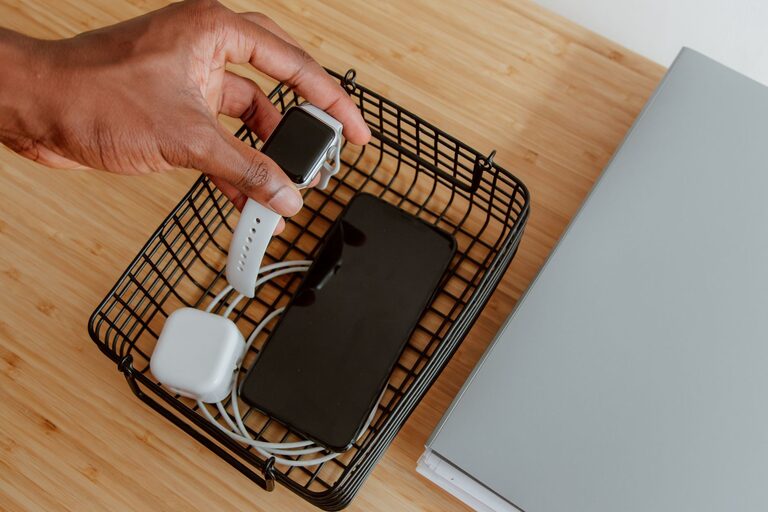
Setting up a dedicated charging station for your devices is a smart and practical way to keep your home or office organized. With so many gadgets requiring power—smartphones, tablets, smartwatches, e-readers, and more—it can be a challenge to keep everything charged without messy cables or searching for outlets. In this guide, we’ll walk you through how to create a neat, efficient charging station that fits your needs.
Why Have a Charging Station?
Before diving into the setup, it’s helpful to understand the benefits of having a dedicated charging area:
– Organization: No more tangled cables or devices scattered around.
– Convenience: All your devices charge in one place, easy to access.
– Efficiency: Some stations support multiple devices simultaneously.
– Aesthetics: A tidy, clutter-free space looks better and feels calmer.
Step 1: Choose the Right Location
The first step is selecting where to place your charging station. Here are some popular spots:
– Desk or Workspace: Ideal for home offices or study areas.
– Living Room: A central place for family gadgets.
– Entryway: Convenient to drop and charge devices as you come home.
– Nightstand: Perfect for overnight charging of personal devices.
Consider the proximity to power outlets and the amount of traffic in that area. Make sure the location is easy to access but not in the way.
Step 2: Determine Your Device Charging Needs
Take stock of the devices you regularly charge. Common devices include:
– Smartphones
– Tablets
– Laptops (may require specific chargers or docking stations)
– Smartwatches and fitness trackers
– Wireless earbuds or headphones
– E-readers and portable gaming devices
Understanding what you need to charge will guide your choice of chargers, cables, and accessories.
Step 3: Select Charging Equipment
Charging Hubs and Stations
Charging hubs or multi-port USB chargers are excellent for powering several devices simultaneously. Features to look for:
– Number of Ports: Ensure it can handle all your devices at once.
– USB Types: USB-A, USB-C, or both—choose based on your cables.
– Power Output: Fast-charging capability for quick and efficient charging.
– Safety Features: Overcurrent and surge protection.
Wireless Chargers
If your devices support wireless charging, consider adding one or more wireless charging pads or stands. They reduce cable use and provide a sleek look.
Power Strips and Surge Protectors
Use quality power strips with surge protection to protect your devices from electrical issues. Some power strips include USB ports, combining power and USB charging in one unit.
Step 4: Manage Your Cables
Cables can quickly become messy without a plan. Here are some ways to keep cables organized:
– Cable Clips and Holders: Attach them to your desk or wall to guide cables neatly.
– Cable Sleeves or Tubes: Bundle multiple cables for a tidy look.
– Velcro Straps or Cable Ties: Keep excess cable length coiled and secured.
– Under-Desk Cable Trays: Hide cables beneath your work surface.
Effective cable management improves safety and aesthetics.
Step 5: Arrange and Personalize Your Station
Device Stands and Holders
Use stands or holders to keep devices upright and visible while charging. This helps prevent devices from being stacked or scratched.
Label Your Cables and Ports
If multiple people use the station, label each cable or port to avoid confusion.
Add Decorative Touches
Choose a charging station setup that matches your décor. Consider a wooden organizer, colorful cable wraps, or a minimalistic tray.
Step 6: Maintain Your Charging Station
Keep your charging station neat by:
– Regularly checking cables for wear or damage.
– Cleaning dust and debris around chargers and cables.
– Updating or replacing chargers when needed.
Routine maintenance ensures safety and longevity of your devices and accessories.
Bonus Tips
– Portable Chargers: Keep a power bank handy near the station for charging on the go.
– Smart Charging: Some chargers offer smart technology to optimize charging for each device.
– Safety First: Avoid overloading outlets and unplug chargers when not in use to save energy.
Conclusion
Setting up a charging station is a simple way to reduce clutter, keep your devices powered, and streamline your daily routine. By choosing the right location, equipment, and cable management tools, you can create an efficient charging hub that works perfectly for your lifestyle. Whether you work from home, manage a busy family, or just want to stay organized, a charging station is a practical addition to any space.
About the Author